
How to Design for AI - 101: Essential Tips and Tricks
Discover essential tips in our guide on How to Design for AI - 101. Learn the fundamentals and best practices for creating effective AI-driven designs.

Essential Tips on How to Design for AI - 101
A practical guide to designing smarter, more intuitive, and human-centered experiences for the age of AI.
Table of Content


Designing for AI is Not the Future. It’s the Now.
AI is no longer just something small. It is now at the center of how products work. It helps products to think, change, and do things.
Generative AI is changing how people use many things. You now see it in copilots, smart dashboards, chat features, and tools that suggest ideas to
you. These new AI features make user experience feel very different. But there is something you should know: Artificial Intelligence without good design can feel hard to use. It can seem like you can't trust it. Sometimes, you may feel afraid of it. Artificial Intelligence does not always take ethical considerations into account. As designers, we need to put clarity and user trust first when we add AI to our products.
Good design is about knowing what the user wants and how they feel. Training data, data collection, data privacy, personal data, and user privacy are all part of AI ethics. When you design for AI, you must make easy-to-use interfaces that show how things work and give clear results. Begin by stating why you want to add an AI feature. Think about the problem it helps fix. Ask yourself how it will make the user experience better. After you feel clear about this, decide how to show the AI’s features in the best way. Use words that feel easy to understand. Add visual hints that help people use it.
Make sure to not give them too much information all at once. That is where design matters. The design process, user feedback, product design, and content creation are all a part of the human intervention needed when working with AI. Designers take care of design principles and ethical principles. Designing for AI is not only about looks. It is about making it easy for people to use. It has to be something you can trust. It should matter to your life.
What Makes AI Design Different from Traditional UX?
Traditional UX is easy to use and understand. A person clicks on something, and the system shows a response right after that.
AI UX does not always give fixed answers. People use it, and the system tries to guess what you want. It makes suggestions for you. It changes with what you do.

This shift introduces new challenges:
- The outputs can be different. You do not always know what will come next.
- The level of confidence can go up and down.
- A user might not always see how the decisions are made.
This means your job as a designer is not just about how things go and how they look now.
Your job is to take smart ideas and make them easy for people to understand.
Design for Trust, Not Just Usability
If users don’t trust your AI, they won’t use it.
Trust in AI comes from visibility and feedback.
Design patterns that work:
- Show when the AI is working or thinking.
- Show how sure the AI is about sensitive information, for example, say '85% match'.
- Give reasons or tell why it made this suggestion.
- Let users check or confirm what the AI shows.
Example: Do not just give a tip. Say, “Recommended because you looked at X and other people like you chose Y.”
Being open makes people feel less afraid. If things are clear, more people will use them.
Make AI Explain Itself (Without Overwhelming Users)
People often think of AI as a black box. Good design can help make it feel more open, like a glass box.
But here’s the nuance:
- Not all people want or need to know every tech detail. Many times, user needs are met without all this info.
- People do not always want a full answer every time they talk. A short answer can be good for their user needs.
Use progressive disclosure:
- Here is a short and easy explanation first.
- You can learn more if you want.
This helps the experience feel new. At the same time, it lets people feel they have control.
Balance Automation with Human Control
Too much automation can make people feel less sure of themselves. But if you don't use automation enough, you lose speed. You also get less done in the day.
The sweet spot? Human-in-the-loop design.
Best practices:
- Let AI give ideas, but it should not make choices for you without letting you think first.
- Have “edit / refine / override” options.
- Always allow users to undo.
- Let people guide the AI.
Think of AI as a smart helper. It is not here to take your place. It works with you.
Design for Uncertainty & Failure
AI development will make mistakes. Always.
Good AI UX plans for:
- Incorrect predictions
- Ambiguous inputs
- Edge cases
What to design:
- Have clear backup options
- Use friendly error messages
- Give options for people to try again, to say it another way, or to send it to someone higher up
Example:
I may not get it. Do you want to try again, or choose one of these options?
This helps the system feel that people work with each other. It does not feel broken.
Think in Conversations, Not Screens
AI is making us move away from just clicking on things. Now, it is more about talking with machines. This new way lets us get what we want faster because we can use our own words. AI helps these talks feel easy and real, supporting better content generation. This way, people feel like they are speaking with someone, not just using a tool. The change is shaping how we use technology and get things done each day.
The use of AI in design does more than make us faster and spark new ideas. It also means we need to think about what is right and fair, so user experience stays important in these new tech steps.
This is not just about chatbots. Search now works by figuring out what people want to do. Forms are there to help people step by step. This way, it
cuts down on manual work. Dashboards can be like helpers. When you work on ai design, you need to make sure the tool can get and use a natural language tone. If you are just starting out, watch out for some common mistakes. Do not forget to include natural language in how people talk to the tool. Do not spend all your time on what is on the screen. Let the focus be on clear conversations instead of making things look fancy. A messy or hard to use layout can leave people not sure what to do next.
It is good to make the conversations simple to read and friendly. The tool should feel as if it talks back in a normal way. That helps people feel rightabout using it.
- Search is now built around what people want to do.
- Forms help people by taking them step by step.
- Dashboards work like helpers.
Design considerations:
- The tool can read and use a natural language sound.
- It understands the whole setting during these steps and can handle more than one part in meetings. The tool also remembers what people said before. There is a clear order, so people know when to speak. Generative design in AI is when machine learning uses rules to make many design choices based on what you want and need. To start with generative design in AI, try out tools like Autodesk Fusion 360 or read about pen options. Learn the main things about AI and machine learning. You can practice by trying easy design problems to see how AI can make new answers.
- It also knows what people said before.
- There is a clear order, so people know when to speak.
The goal is easy to see.
You want people to feel like they are talking to a smart person when they use your product.
Visualize Intelligence Clearly
AI often gives you answers that are not easy to follow. The results you get in ai systems show what the model thinks will happen. It can also tell you how likely something is or if the ai sees a pattern. If you are new and want to start with ai, there are beginner-friendly projects you can try. Some examples are making a simple chatbot that can answer basic questions using advanced language models, building a filter to spot spam emails, or creating an image classifier that puts pictures into groups. These projects give you clear, simple results you can see on your screen. That helps you understand what the ai is doing and how it makes choices.
Your job is to simplify without dumbing down.
Key principles:
- Use visual hierarchy so the main ideas stand out.
- Do not give too much raw data all at one time.
- Put charts next to clear and easy explanations.
- Show trends, not just numbers.
A good AI dashboard does more than just show the data. It helps you see what your next steps should be.

Design Adaptive & Personalized Experiences
AI enables interfaces that evolve.
- The content will change depending on what you do.
- The suggestions get better over time.
- The app’s look and feel can change with your habits.
But personalization should feel:
- Helpful, not invasive
- Predictive, not creepy
Always give users control:
- “Why am I seeing this?”
- “Turn off personalization”
Respect builds long-term retention.
Designing for AI is about making the customer experience better. To do this, you need to make sure that every AI solution works well with what the business already has. When you do this, it can change the way businesses talk to and help their clients.
Prototype Early. Test with Real Users.
AI products are risky to build blindly.
Before full development:
- Make prototypes using AI.
- Show what the product does or gives. You can do this by hand if needed.
- Try it with real people early on.
This helps validate:
- Is the AI really solving a problem?
- Do people know what it can do?
- Do people feel safe and feel it is right?
AI success is not only about if it works. It is about if people want to use it, too.
When we design for AI, we have to understand how virtual assistants help. They make user experience better. They let people do everyday thingswith easy steps. They also give help that feels personal and right.
Build Ethical AI Experiences
AI design is not neutral.
Every decision impacts:
- Bias
- Privacy
- Fairness
As designers, we must:
- Be clear about how you use data.
- Do not use ways that push people or trick them. This can lead to discriminatory outcomes.
- Find bias detection in what you give, and work to lower it.
- Let people have control of their own data.
Making AI that is ethical is not only about following rules. It is a key part of how we design these systems. Designing for AI means you need to know about ethical issues. You should think about things like data privacy and how the system may have bias. It is also important to look at how choices made by machines can change society.
When designing for AI, it is important to keep human oversight in place. This helps make sure that ethical considerations and human judgment stay at the heart of making choices, especially when the stakes are high.
Design Systems for AI (Not Just Screens)
AI products evolve continuously.
Your design system should:
- Support when the state changes like loading, predicting, and learning
- Handle more than one output
- Adjust as the model gets better
- Work well for many use cases

Static design systems do not work for AI. You have to use design systems that are alive and can change. When businesses use AI in the designprocess, they can make tasks simpler and do the work faster. This helps them come up with new ideas quickly. In the end, it gives the company astrong competitive edge in this fast-moving market.
When you design AI applications, it is important to connect ideas with how they work in the real world. This helps the technology meet user needs and fit into everyday life without problems.
Our Approach at Pen on Paper
At Pen on Paper, we don’t treat AI as a buzzword.
We design AI products that:
- Solve real business problems
- Be easy to understand and use
- Build trust from day one
- Grow as they get smarter
We help bring technology and people closer together. We use AI copilots, easy-to-use dashboards, chat tools, and tools that can tell you what might happen next.
Because great AI is not just about what it can do.
It’s about how people feel using it.
Designing for AI means using its power to handle repetitive tasks. This helps designers spend more time on creative work and making big plans.
Today, the world of technology is changing fast. The meeting point of design and AI gives us a special chance to make user experiences better. As we start to design more for AI, it is important to build interfaces that do more than just work well. We need to make sure they help people feel something, too. To do this, we should try to know what the user wants and when they want it. At the same time, it is key to make sure AI can really help people with what they need.
Making these interfaces needs a strong focus on empathy and user-centered design principles. The main challenge is to make ai systems feel easy to use. You have to break down something that is complex into simple steps. At Pen on Paper, we believe that every interaction with AI should be intuitive. This means creating interfaces where users feel in control, empowered, and understood.
We advocate for a design process that starts with extensive user research, ensuring we align our solutions with real-life scenarios and emotional
contexts. By observing how people interact with technology in their daily lives, we can uncover insights that inform our design decisions.
Moreover, storytelling plays a crucial role in our approach. By crafting narratives around the user journey, we illustrate the value of AI not just as a tool but as a partner in problem-solving.
How to Design for AI - 101
I believe that good design starts when you listen. It is about talking with users to find out what problems they have and what they want.
We follow a repeat process that uses models and tests. This helps us make each choice better for anyone who uses it, and it still works with new
types of technology. We use tools like storytelling in design. This helps us build stories that feel right for people, so AI seems more like something that works with them and not something strange or hard to use.
At Pen on Paper, we focus on empathy-driven design. We always try to see what the user goes through. This helps us put user experience first in our work. Our goal is to understand every step the user takes from start to finish.
AI Prompt Design Fundamentals
Designing for AI requires a deep understanding of not only the technology but also the human experiences it will impact. At Pen on Paper, we recognize that effective AI design is rooted in empathy. We are committed to creating experiences that resonate with users, acknowledging their needs and behaviors throughout their interaction journey.
Embracing Fluidity in Design
In a rapidly evolving technological landscape, static designs are no longer sufficient. The key to successful AI implementation lies in developing
Practical Techniques for Effective AI Design
- User-Centric Research: Begin with comprehensive research to understand your audience's needs and pain points. Utilize surveys, interviews, and observation to gather insights that will inform your design.
- Iterative Prototyping: Create prototypes early and often. Use tools that allow for quick iterations based on user feedback. This not only enhances the product but also fosters a collaborative atmosphere among team members.
- Data-Driven Decision Making: Leverage data analytics to guide your design choices.
AI in Industry Applications
AI technology is transforming various industries, offering innovative solutions that increase efficiency and enhance user experiences. Let's explore how to harness the potential of AI by tailoring design principles to specific sectors.
Healthcare: In a field where user trust is paramount, designing AI systems requires sensitivity to patient needs. Create interfaces that enable intuitive navigation for both patients and healthcare professionals. Incorporate features like personalized health tracking and virtual consultations, ensuring data privacy measures are front and center.
Finance: With financial services undergoing rapid digital transformation, clarity in design is essential.
Getting Started with AI Design Tools and Learning
To effectively embark on your AI design journey, familiarize yourself with essential tools and resources that streamline the process. Here are key strategies to get started:
- Explore Design Platforms: Utilize design tools such as Figma, Sketch, or Adobe XD that support collaborative work and allow rapid prototyping. These platforms enable you to visualize ideas quickly and gather input from stakeholders.
- Adopt AI-Specific Frameworks: Integrate frameworks like TensorFlow.js or OpenAI’s API for building intelligent applications. These libraries can help embed machine learning capabilities into your designs seamlessly.
Final Thought
Designing for AI is not just about making something smart. It is about making sure that people can use that smartness easily.
The companies that do well in the age of AI are not always the ones with the best models. They are the ones that make the best experiences for these models.
How to Design for AI - 101
Today, thinking about AI as a fixed design is just not enough. Things change fast. You need systems that can change and grow as new tech comes up and as you get user feedback. When you use AI in the way you work, it helps you make things better. It can cut down on production costs. It can also help you come up with new ideas quickly and keep you ahead in a world that moves all the time.
Good AI design goes beyond just theory. It is about turning tough ideas into real features that feel right for users.
Ready to Build an AI-First Product?
It does not matter if you are working in a US-based startup that wants to grow fast or you are in a team in Bangalore that is building something big. When you get the design of your AI right and make sure your sensitive data stays safe, you can stand out from others.
Let’s build something intelligent and intuitive
Latest Articles
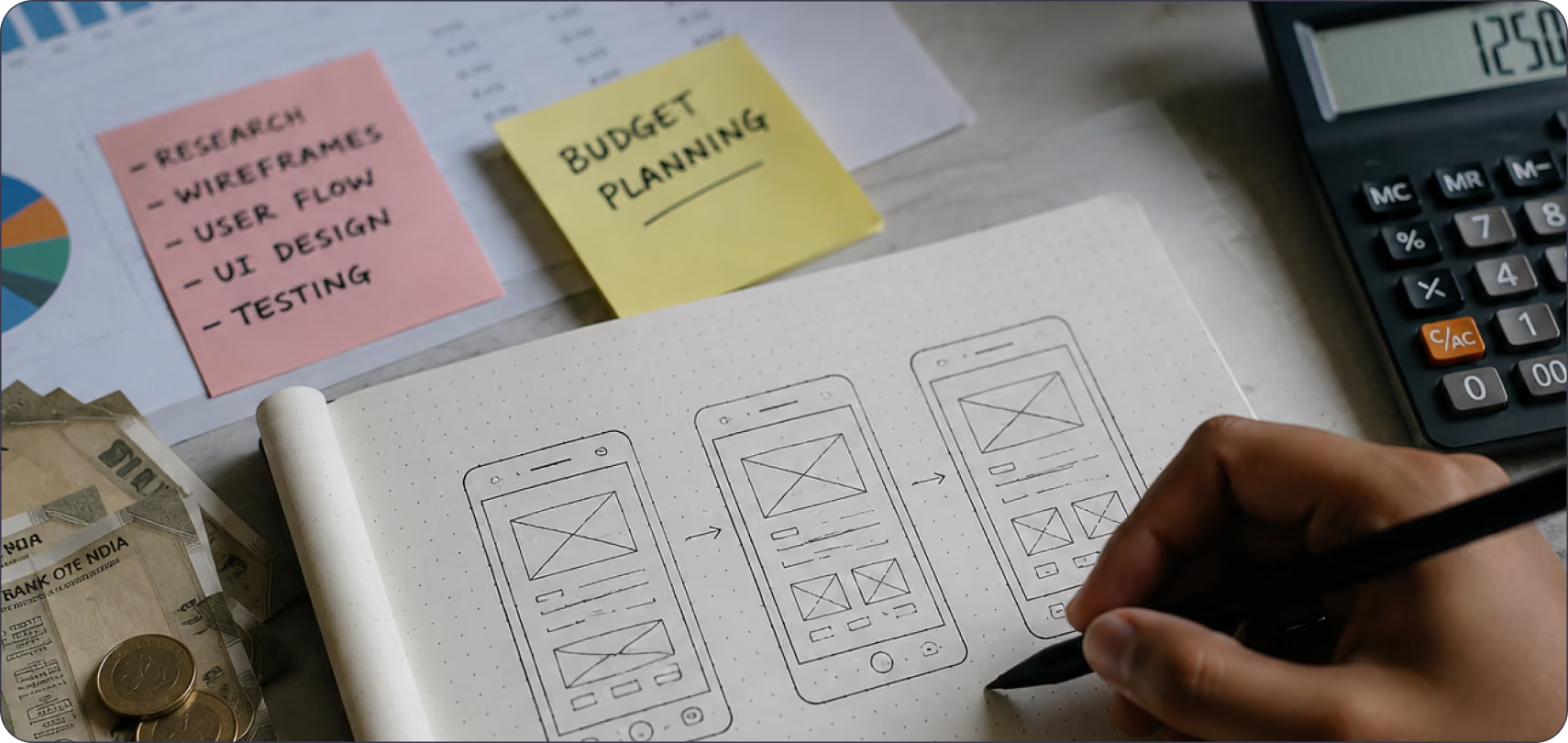
How Much Does UI/UX Design Cost in India?
Understand the key factors that influence UI/UX design pricing in India, from project scope and complexity to designer expertise and business requirements.
Latest Articles
What Does "Funded Startup" Mean When You Pick a Design Agency in India?
"Funded startup" means two different things in India right now, and most agency content mixes them up. One meaning comes from the government. The other comes from VCs and marketing copy.
Latest Articles
What Should Fintech Founders Look For in a UI/UX Design Agency in 2026?
Two terms cause most of the confusion when fintech founders search for design help this year. "Dark pattern" has two separate legal definitions active in India right now, and "UX agency" covers three completely different service models under one label.
Latest Articles
Mobile UX Trends in 2026: What's Actually Changing and What's Just Noise
Every year, the same list circulates: dark mode, gestures, micro-animations, personalisation. Most of it is either already standard or too surface-level to act on.
Latest Articles
What UX Features Do Users Expect From Apps in 2026?
Explore the emerging UX features transforming mobile and web applications, helping businesses create faster, smarter, and more engaging digital experiences.
Latest Articles
How Can Startups Optimise Their UX Strategy
Dive into the world of UX Strategy tailored for startups in Bangalore. Find out how great UX impacts brands and drives growth in Startup India and USA.
Latest Articles
How to Choose a UI/UX Design Agency in India
If you're searching for a UI/UX design agency in India, you're probably already comparing portfolios, reading case studies, and trying to figure out whether the quality you're seeing is repeatable or was a one-off effort for a big client.
Latest Articles
Design Systems 101: Building UI That Truly Scales
Discover how to create effective design systems for Figma. Enhance your UX with reusable components and streamline your workflow using Figma components.
Latest Articles
Design Trends 2026 Modern Ideas for Brands
Explore design trends 2026 shaping modern brands. Learn about AI, minimal design, bold typography, motion design, and sustainable strategies.
Latest ArticlesAbout Author:


Why choose Pen on Paper for future-ready design?


Got a question?
Get your answer

Ready to build AI-powered digital experiences?
Lorem ipsum dolor sit amet, consectetur adipiscing elit. Nunc vulputate libero et velit interdum.